

 Tolulope Michael
Firepower Threat Defence (FTD): 2026 Guide to Cisco’s Firewall
Cisco Firepower Threat Defence (FTD) is Cisco’s integrated next-generation firewall software that combines traditional firewall protection with intrusion prevention, malware defense, and application-level inspection in one system. Unlike older firewalls that only filter traffic based on IP addresses and ports, Cisco FTD analyzes network traffic deeply, detects advanced threats, and blocks malicious activity before it reaches internal systems.
Cisco designed firepower threat defence to replace the legacy Cisco ASA firewall and deliver modern, intelligent protection. The ftd firewall merges Cisco ASA firewall capabilities with the Snort intrusion prevention engine, advanced malware protection, and real-time threat intelligence. This unified approach gives organizations full visibility into network traffic and stronger control over security risks.
As part of the NGFW Cisco portfolio, Cisco Firepower Threat Defence protects networks at multiple levels. It monitors users, applications, files, and connections continuously. When suspicious traffic appears, the system inspects it, compares it against known threat signatures, and blocks harmful activity instantly. This active inspection explains how Cisco firewall’s advanced threat defense system works in real-world environments.
Many organizations use Cisco firepower threat defense FTD because it simplifies security management. Instead of running separate tools for firewall protection, intrusion detection, and malware prevention, administrators manage everything from one platform. This integration improves efficiency, reduces complexity, and strengthens overall network defense.
In simple terms, if you ask what is Cisco FTD, the answer is clear: it is a modern, intelligent firewall system that not only controls network traffic but also actively detects, analyzes, and stops cyber threats before they cause damage.
Cisco deploys ftd Cisco software on both physical appliances and virtual machines, making it suitable for branch offices, enterprise data centers, and cloud environments. This flexibility allows businesses to scale their security easily while maintaining consistent protection across their entire infrastructure.
How Cisco Firepower Threat Defence Works (Architecture Explained)
To understand how Cisco Firepower Threat Defence works, you need to see it as an intelligent security checkpoint that inspects every piece of traffic entering or leaving your network.
Unlike a traditional firewall that only checks source and destination addresses, Cisco firepower threat defence examines the traffic deeply, analyzes its behavior, and decides whether to allow it, block it, or inspect it further.
Here is the simple flow of how the FTD firewall protects a network:
Step 1: Traffic enters the firewall
When a user accesses a website or an external system connects to your network, the traffic reaches the Cisco FTD device first. The firewall immediately identifies:
- Source IP address
- Destination IP address
- Application type
- Protocol being used
This first step gives the firewall visibility into what the traffic claims to be.
Step 2: Access Control Policy evaluates the traffic
Next, firepower threat defence compares the traffic against configured security rules.
For example, the firewall can:
- Allow business applications like Microsoft 365
- Block dangerous or unauthorized applications
- Restrict access to specific countries
This process gives administrators full control over network access.
Step 3: Deep inspection using the Snort Intrusion Prevention System
This stage explains how Cisco firewall’s advanced threat defense system works at its core.
The Snort IPS engine inspects the actual content of the traffic and looks for:
- Malware signatures
- Exploit attempts
- Suspicious behavior
- Known attack patterns
If the system detects a threat, ftd Cisco blocks the traffic immediately before it reaches internal users.
This step makes Cisco firepower threat defense FTD far more powerful than traditional firewalls.
Step 4: Application and file inspection
The firewall also identifies the real application behind the traffic.
For example, it can detect:
- Facebook traffic hiding behind HTTPS
- Malware disguised as normal files
- Unauthorized file transfers
This capability gives organizations precise application-level control.
Step 5: Threat intelligence verification
Cisco Firepower connects to Cisco Talos, one of the world’s largest threat intelligence databases.
The firewall checks:
- IP reputation
- Domain reputation
- File reputation
If the system identifies the source as malicious, it blocks it automatically.
This real-time intelligence makes ngfw Cisco devices highly effective against modern cyber threats.
Step 6: Logging and security event generation
After inspection, the firewall logs all activity.
These logs include:
- Allowed connections
- Blocked attacks
- Malware detection events
- User activity
Organizations can send these logs to SIEM tools like QRadar or Rapid7 for monitoring.
This logging capability makes Cisco FTD essential for security visibility and compliance.
RELATED ARTICLE: Adaptive Threat Analysis: A Comprehensive Analysis
Simple Real-World Example
Let’s say an employee clicks a malicious link.
Here’s what happens:
- Traffic reaches the Cisco firepower threat defence
- Firewall checks access rules
- Snort IPS detects malicious signature
- Firewall blocks the connection instantly
- System logs the event
- Security team receives alert
The attack stops before it causes damage.
Why This Architecture Makes Cisco FTD Powerful
This layered inspection approach allows firepower threat defence to:
- Detect threats early
- Block attacks automatically
- Control application access
- Monitor network activity
Instead of acting as a simple traffic filter, the ftd firewall acts as a full threat prevention system.
This architecture explains why many enterprises deploy Cisco firepower threat defense as their primary network security solution.
Cisco Firepower Threat Defense Features That Make It Powerful
Cisco Firepower Threat Defense features go far beyond basic firewall protection. Cisco designed this platform to detect, analyze, and stop advanced cyber threats while giving administrators full control over network traffic.
These built-in capabilities make firepower threat defence one of the most trusted NGFW Cisco solutions used in enterprise environments today.
Here are the most important features that make Cisco firepower threat defense FTD powerful.
Intrusion Prevention System (IPS) Powered by Snort
The intrusion prevention system is the core security engine inside Cisco FTD.
It actively scans traffic for:
- Malware signatures
- Exploit attempts
- Command-and-control connections
- Unauthorized network activity
When the system detects a threat, the ftd firewall blocks it instantly.
This feature allows organizations to stop attacks before they reach internal devices.
Cisco continuously updates Snort through Cisco Talos threat intelligence, which ensures the firewall recognizes new threats quickly.
Advanced Malware Protection (AMP)
Advanced Malware Protection helps detect and block malicious files.
Unlike traditional antivirus systems, AMP does more than scan files once. It continuously monitors file behavior.
If a file later becomes malicious, Cisco firepower threat defence can:
- Detect it
- Track its activity
- Block its execution
- Alert administrators
This capability protects networks against ransomware, trojans, and unknown malware.
Application Visibility and Control (AVC)
Many modern attacks hide inside legitimate applications.
Cisco firepower threat defense identifies applications regardless of port or protocol.
For example, it can detect:
- Social media applications
- Streaming services
- File-sharing tools
- Remote access tools
Administrators can allow, restrict, or block applications completely.
This gives organizations precise control over network usage.
Real-Time Threat Intelligence from Cisco Talos
Cisco Talos provides one of the largest threat intelligence databases in the world.
Firepower threat defence connects directly to Talos to check:
- Malicious IP addresses
- Dangerous domains
- Suspicious file hashes
If the firewall identifies a known threat, it blocks it automatically.
This feature strengthens network protection without manual updates.
URL Filtering and Web Protection
This feature allows administrators to control website access.
For example, organizations can block:
- Phishing websites
- Malicious domains
- High-risk categories
This reduces the risk of user-initiated attacks.
Centralized Management with FMC and FDM
Administrators manage Cisco FTD using two main tools:
Firepower Management Center (FMC)
Used for centralized management across multiple devices.
Firepower Device Manager (FDM)
Used for local management on individual devices.
These tools allow administrators to:
- Create policies
- Monitor threats
- Analyze traffic
- Investigate security events
This centralized control improves security efficiency.
VPN and Secure Remote Access
Cisco firepower threat defense supports secure VPN connections.
This allows:
- Remote employees to access networks safely
- Secure communication between offices
This feature protects sensitive data during transmission.
These integrated capabilities allow firepower threat defence to:
- Prevent cyber attacks
- Protect sensitive data
- Control application access
- Improve network visibility
Instead of using multiple security tools, organizations use one unified system.
This makes Cisco FTD easier to manage and more effective at stopping modern threats.
READ MORE: What Are Model Interpretability Techniques in AI (2026)? SHAP, LIME, Feature Importance
Cisco FTD Models and Cisco Firepower Series Explained

Cisco offers Firepower Threat Defence across a range of hardware and virtual appliances. Each model serves a different network size, performance need, and security requirement. Understanding the available Cisco FTD models helps organizations choose the right firewall for their environment.
Cisco groups these devices under the Cisco Firepower Series, which includes entry-level, mid-range, and high-performance enterprise firewalls.
Cisco Firepower 1000 Series (Best for Small and Branch Offices)
The Cisco Firepower 1000 Series fits small businesses, branch offices, and growing organizations.
One of the most popular models in this category is the Cisco Firepower 1120.
This device delivers:
- Strong threat protection
- Application visibility and control
- VPN support
- Reliable performance for smaller networks
Organizations often deploy the Cisco Firepower 1120 in branch locations where they need enterprise-grade protection without high infrastructure costs.
Because it runs Cisco firepower threat defence, it provides the same advanced protection found in larger enterprise firewalls.
Cisco Firepower 2100 Series (Best for Medium-Sized Businesses)
The Cisco Firepower 2100 Series supports medium-sized organizations and enterprise branch locations.
These devices offer:
- Higher throughput
- More VPN capacity
- Greater scalability
They work well for organizations that need stronger performance while maintaining full firepower threat defence capabilities.
Many companies use these devices as their primary perimeter firewall.
Cisco Firepower 4100 Series (Best for Large Enterprises)
The Cisco Firepower 4100 Series supports large enterprise networks and data centers.
These appliances provide:
- High traffic handling capacity
- Advanced threat inspection
- Support for thousands of users
This series protects high-traffic enterprise environments where performance and security both matter.
Organizations often deploy these firewalls at headquarters and core data centers.
Cisco Firepower 9300 Series (Best for High-Performance Data Centers)
The Cisco Firepower 9300 Series delivers the highest performance in the Cisco Firepower Series.
This platform supports:
- Massive traffic volumes
- Large-scale enterprise deployments
- Service provider environments
It allows organizations to scale their security without sacrificing performance.
This series uses modular architecture, which makes it flexible for large deployments.
Virtual Cisco FTD Models (Cloud and Virtual Environments)
Cisco also offers virtual versions of Cisco firepower threat defense FTD.
Organizations deploy these in:
- Cloud environments like AWS and Azure
- Virtual data centers
- Hybrid networks
Virtual ftd Cisco appliances provide the same protection as physical devices while supporting modern cloud infrastructure.
How to Choose the Right Cisco FTD Model
Organizations choose based on:
- Network size
- Traffic volume
- Number of users
- Security requirements
- Deployment environment
For example:
- Small office → Cisco Firepower 1120
- Medium business → Firepower 2100 Series
- Enterprise → Firepower 4100 or 9300
Each model runs the same firepower threat defence, so the main difference comes down to performance and scale.
The Cisco Firepower Series gives organizations flexibility.
They can:
- Start with smaller devices
- Upgrade as they grow
- Maintain consistent security
This scalability makes Cisco firepower threat defense suitable for businesses of all sizes.
Cisco Firepower Threat Defense Datasheet and Specifications
The Cisco Firepower Threat Defense datasheet provides the technical details organizations need before deploying the firewall. It explains performance capacity, supported features, hardware specifications, and scalability limits.
If you plan to implement firepower threat defence, reviewing the datasheet helps you choose the correct model and avoid performance issues.
What the Cisco Firepower Threat Defense Datasheet Includes
The Cisco Firepower datasheet typically covers five critical areas.
Firewall throughput
This shows how much traffic the firewall can inspect without slowing the network.
For example, the Cisco Firepower 1120 delivers firewall throughput suitable for branch offices and small enterprise environments.
Threat inspection performance
This measures how fast the firewall can perform deep inspection while running:
- Intrusion prevention
- Malware protection
- Application inspection
This metric matters because inspection consumes more resources than basic filtering.
VPN capacity
The datasheet explains how many VPN connections the device supports.
Organizations use this information to ensure remote users can connect securely without performance issues.
Concurrent session limits
This shows how many active network connections the firewall can handle at once.
High session limits support larger networks.
Interface and hardware specifications
The datasheet lists:
- Number of ports
- Interface types
- Hardware configuration
This information helps network engineers plan deployment.
Why Is the Cisco Firepower Threat Defense Datasheet Important
The datasheet helps organizations:
- Compare different Cisco FTD models
- Choose the correct firewall size
- Understand performance capabilities
- Plan network deployment
Without reviewing the Cisco Firepower Threat Defense datasheet, organizations risk selecting a device that cannot handle their traffic load.
Firepower Threat Defence Download and Software Availability
Organizations can deploy Cisco firepower threat defence as either:
- Hardware appliance software
- Virtual firewall software
For virtual deployments, Cisco provides the firepower threat defence download through the official Cisco Software Download Center.
The download includes:
- FTD operating system
- Management integration support
- Security feature packages
Cisco requires a valid license to access the software.
Organizations should always download Cisco firepower threat defence directly from Cisco to ensure authenticity and security.
Example: Cisco Firepower 1120 Datasheet Summary
To understand real-world specifications, here is a simplified example.
The Cisco Firepower 1120 typically supports:
- Enterprise-grade firewall protection
- Intrusion prevention
- VPN connectivity
- Application control
This makes it suitable for small and medium-sized networks.
How to Use the Datasheet Effectively
Network engineers use the Cisco Firepower datasheet to:
- Estimate required firewall performance
- Plan network architecture
- Ensure scalability
This step ensures the firewall meets both current and future needs.
Reviewing the datasheet before deployment helps organizations get the full value from Cisco firepower threat defense FTD.
SEE ALSO: Best Open Source Threat Intelligence Platforms and Feeds
How Cisco Firepower Threat Defence Integrates With SIEM Tools

Cisco Firepower Threat Defence does more than block threats. It also generates detailed security logs that help organizations monitor, analyze, and respond to attacks in real time. Security teams send these logs to SIEM platforms to gain full visibility into their network.
This integration makes Cisco FTD a critical component of modern security operations.
What Logs Cisco Firepower Threat Defence Generates
The ftd firewall records every important network activity. These logs include:
- Connection events
- Intrusion detection events
- Malware detection alerts
- File activity logs
- User access logs
Each log helps security teams understand what happens inside their network.
For example, when Cisco firepower threat defense FTD blocks a malicious connection, it logs:
- Source IP address
- Destination IP address
- Application used
- Action taken (Allowed or Blocked)
These logs create a complete audit trail.
How Cisco FTD Sends Logs to SIEM Systems
Organizations configure firepower threat defence to send logs using syslog.
Here is how the process works:
Step 1: Traffic passes through Cisco FTD
The firewall inspects the traffic and generates event logs.
Step 2: Cisco FTD forwards logs to SIEM
The firewall sends logs to the SIEM server using secure syslog.
Step 3: SIEM analyzes security data
The SIEM platform collects, parses, and analyzes the logs.
Step 4: Security team investigates threats
Security teams review alerts and respond if needed.
This process helps organizations detect attacks quickly.
Common SIEM Tools That Integrate With Cisco Firepower Threat Defence
Many organizations connect Cisco firepower threat defence with leading SIEM platforms.
IBM QRadar
QRadar collects:
- Intrusion events
- Connection logs
- Malware activity
Security teams use this data to investigate incidents.
Rapid7 InsightIDR
Rapid7 receives logs such as:
- Firewall connection events
- Intrusion alerts
- VPN logs
This helps security teams monitor threats continuously.
Splunk
Splunk allows organizations to:
- Search firewall logs
- Analyze attack patterns
- Create threat detection alerts
Many enterprises use Splunk for advanced analysis.
Example: How SIEM Integration Helps Stop Attacks
Let’s say a hacker attempts to access a network.
Here is what happens:
- Traffic reaches Cisco FTD
- Firewall detects suspicious activity
- Firewall blocks the attack
- Firewall logs the event
- SIEM receives the log
- Security team investigates immediately
This process improves threat response speed.
Why SIEM Integration Makes Cisco FTD More Powerful
When organizations connect firepower threat defence to SIEM platforms, they gain:
- Complete network visibility
- Faster threat detection
- Detailed forensic analysis
- Compliance reporting support
This integration helps organizations strengthen their security posture.
Importance of Cisco Firepower Threat Defence Logging
Security teams rely on Cisco FTD logs to:
- Detect cyber attacks
- Investigate incidents
- Track user activity
- Improve security policies
Without SIEM integration, organizations lose valuable visibility.
By integrating Cisco firepower threat defense, organizations move from basic protection to full security monitoring.
Cisco Firepower Threat Defence Download and Installation

Organizations deploy Cisco Firepower Threat Defence as either a hardware-based firewall or a virtual firewall. Cisco provides the software through its official portal, but you must follow the correct process to complete the firepower threat defence download and installation safely.
Understanding this process helps you deploy Cisco FTD correctly and avoid configuration problems.
Where to Get the Firepower Threat Defence Download
Cisco hosts the official firepower threat defence download in the Cisco Software Download Center.
You can download:
- FTD system software
- Virtual firewall images
- System updates
- Security patches
Cisco requires an active license and Cisco account to access these files.
Always download Cisco firepower threat defence directly from Cisco. This protects your network from tampered or unsafe software.
Hardware vs Virtual Deployment Options
Cisco offers two deployment methods.
Physical Appliance Deployment
Cisco pre-installs firepower threat defence on hardware devices such as:
- Cisco Firepower 1120
- Firepower 2100 Series
- Firepower 4100 Series
In this case, you only configure the firewall.
You do not need to perform a manual software installation.
Virtual Firewall Deployment
For cloud and virtual environments, administrators install Cisco firepower threat defence FTD manually.
Organizations deploy virtual ftd Cisco in:
- VMware environments
- Microsoft Azure
- Amazon Web Services
This deployment supports modern cloud infrastructure.
How to Install Cisco Firepower Threat Defence
The installation process follows clear steps.
Step 1: Download the software
Download the correct version from Cisco.
Step 2: Deploy the firewall
Install the software on:
- Physical appliance
or - Virtual machine
Step 3: Perform initial setup
Configure:
- IP address
- Network interfaces
- Firewall policies
Step 4: Connect management system
Administrators manage Cisco FTD using:
- Firepower Management Center (FMC)
or - Firepower Device Manager (FDM)
This step enables full firewall control.
Licensing Requirements
Cisco requires licenses to activate advanced features.
Licenses enable:
- Intrusion prevention
- Malware protection
- URL filtering
- Threat intelligence
Without licensing, the firewall runs limited features.
The Need for Proper Installation
Correct installation ensures firepower threat defence can:
- Inspect traffic properly
- Detect threats accurately
- Protect network resources
Incorrect setup creates security gaps.
Organizations must follow proper deployment procedures.
How Organizations Use Cisco Firepower Threat Defence After Installation
After installation, Cisco firepower threat defense becomes the main network security system.
It begins to:
- Inspect network traffic
- Block malicious connections
- Log security events
- Enforce access policies
This transforms the firewall into a complete threat defense platform.
The firepower threat defence download and installation process allows organizations to deploy enterprise-grade protection across physical and cloud environments.
MORE: Best Cloud Service Providers in 2026
Cisco Firepower Training and Certification Options
Learning how to configure and manage Cisco Firepower Threat Defence helps network engineers protect enterprise environments effectively. Many professionals take Cisco firepower training to build hands-on skills with firewall configuration, threat detection, and security monitoring.
If you plan to work with Cisco FTD, training helps you understand how to deploy, manage, and troubleshoot the firewall properly.
Who Should Take Cisco Firepower Training
These roles benefit most from firepower training Cisco programs:
- Network engineers
- Security engineers
- SOC analysts
- System administrators
- IT professionals managing enterprise networks
Organizations also train their internal teams to manage firepower threat defence securely.
This ensures their firewall protects the network correctly.
What You Learn in Cisco Firewall Training
Most Cisco firewall training programs teach practical skills that engineers use daily.
You learn how to:
- Install and configure Cisco FTD
- Create firewall access policies
- Enable intrusion prevention
- Configure VPN connections
- Monitor network traffic
- Investigate security events
These skills help professionals manage ftd firewall environments confidently.
Training also explains how Cisco firewall’s advanced threat defense system works in real-world scenarios.
Popular Cisco Firepower Certification Courses
Cisco offers official courses that cover Cisco firepower threat defense FTD.
Common options include:
Cisco Secure Firewall Threat Defense Training
This course focuses entirely on Cisco Firepower configuration and management.
It covers:
- Firewall deployment
- Threat protection
- Policy configuration
- Security monitoring
Cisco Security Certification Path
Many engineers learn Cisco firepower threat defence as part of Cisco security certifications, such as:
- Cisco CCNP Security
- Cisco CyberOps certifications
These certifications improve career opportunities in cybersecurity.
Why Cisco Firepower Training Matters for Your Career
Organizations use Cisco firepower threat defense worldwide.
This creates strong demand for professionals who understand Cisco security systems.
Learning Cisco firewall course skills helps professionals:
- Get cybersecurity jobs
- Advance their careers
- Work with enterprise networks
Companies prefer trained engineers because firewall configuration affects network security directly.
Hands-On Practice Is Essential
Professionals learn faster when they practice.
Many engineers use:
- Virtual Cisco FTD labs
- Practice environments
- Simulation tools
Hands-on experience improves skills quickly.
How Training Helps Organizations
Organizations that invest in cisco firepower training gain:
- Better firewall management
- Faster threat response
- Stronger network security
Proper training reduces configuration errors.
This improves overall protection.
Learning firepower threat defence prepares both individuals and organizations to manage modern cybersecurity threats effectively.
Firepower Threat Defence vs Cisco ASA Firewall
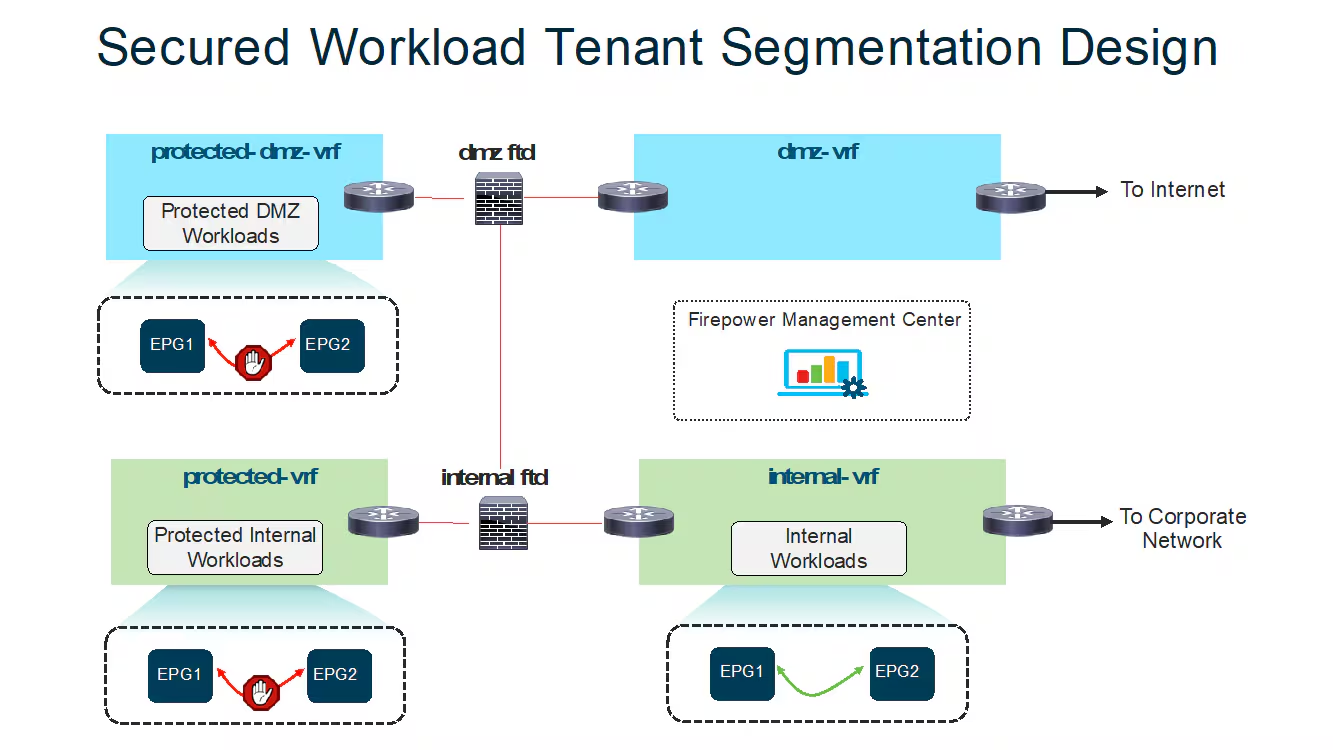
Cisco developed Firepower Threat Defence to replace the traditional Cisco ASA firewall and provide stronger protection against modern cyber threats. While Cisco ASA still protects many networks, Cisco FTD delivers advanced threat detection, deeper inspection, and better visibility.
Understanding the difference helps organizations choose the right firewall.
Core Difference Between Cisco FTD and Cisco ASA
The main difference comes down to threat detection capability.
Cisco ASA firewall
Cisco ASA focuses on:
- Port-based traffic filtering
- Network address translation (NAT)
- VPN connectivity
ASA blocks or allows traffic based on IP address, port, and protocol.
It does not deeply inspect application behavior or detect advanced malware.
Firepower Threat Defence firewall
Firepower threat defence performs everything ASA does and adds advanced threat protection.
It includes:
- Intrusion prevention system
- Malware protection
- Application inspection
- Threat intelligence
This allows the ftd firewall to detect threats hidden inside normal traffic.
Feature Comparison Table
| Feature | Cisco ASA Firewall | Cisco Firepower Threat Defence |
| Basic firewall protection | Yes | Yes |
| Intrusion prevention | No | Yes |
| Malware protection | No | Yes |
| Application visibility | No | Yes |
| Threat intelligence | No | Yes |
| Advanced threat defense | No | Yes |
| Centralized management | Limited | Full support |
This comparison shows why many organizations migrate to Cisco firepower threat defense FTD.
How Firepower Threat Defence Improves Security
Cisco designed Cisco firepower threat defence to detect modern cyber threats.
It can:
- Identify malicious applications
- Block malware downloads
- Detect exploit attempts
- Monitor user activity
This protection level makes ngfw Cisco firewalls more effective than older systems.
Why Cisco Replaced ASA With Firepower Threat Defence
Cyber attacks have become more advanced.
Traditional firewalls cannot detect threats hidden inside applications.
Cisco created Cisco FTD to solve this problem.
Instead of only filtering traffic, the firewall now analyzes and stops threats actively.
This improves network protection significantly.
Should You Still Use Cisco ASA
Cisco ASA still works for:
- Basic firewall protection
- VPN access
But it lacks modern threat detection.
Most organizations now deploy firepower threat defence instead.
This ensures better protection against advanced cyber attacks.
Why Organizations Choose Cisco FTD Today
Organizations prefer Cisco firepower threat defense because it provides:
- Stronger threat protection
- Better visibility
- Centralized management
- Future-ready security
This makes ftd Cisco the preferred firewall solution for modern enterprise networks.
Conclusion
Firepower Threat Defence has become Cisco’s primary firewall platform because it delivers complete, modern network protection in one system. Unlike traditional firewalls, Cisco Firepower Threat Defence does not just filter traffic. It inspects applications, detects advanced threats, blocks malware, and gives organizations full visibility into their network activity.
By combining firewall protection, intrusion prevention, malware defense, and threat intelligence, Cisco FTD helps organizations stop attacks before they cause damage. The flexibility of the Cisco Firepower Series, including models like the Cisco Firepower 1120, allows businesses to deploy the right level of protection based on their size and needs.
Organizations that review the Cisco Firepower Threat Defense datasheet, complete proper deployment, and invest in Cisco firepower training gain stronger security, better control, and long-term protection against evolving cyber threats.
As cyber attacks continue to grow in complexity, firepower threat defence gives organizations the advanced security foundation they need to protect their infrastructure confidently.
Ready to Deploy and Master Cisco Firepower Threat Defence with Confidence?
Protecting your network requires more than basic firewall protection. Organizations need intelligent security systems like Cisco Firepower Threat Defence to detect advanced threats, enforce strong access controls, and maintain full visibility across their infrastructure. Whether you manage a corporate network, secure cloud environments, or build a cybersecurity career, deploying and managing Cisco FTD correctly gives you a critical advantage.
If you want to deploy the right Cisco Firepower Series, interpret the Cisco Firepower Threat Defense datasheet, complete a secure firepower threat defence download, or strengthen your firewall policies, the right implementation strategy makes all the difference.
Tolulope Michael has helped professionals and organizations deploy, configure, and optimize Cisco firepower threat defence environments, helping them strengthen their network security, improve threat visibility, and build real-world firewall expertise.
Book a One-on-One Cisco Firepower Threat Defence Consultation with Tolulope Michael
If you are unsure how to deploy Cisco firepower threat defence, select the right Cisco FTD models, configure advanced threat protection, integrate with SIEM tools, or build practical skills through Cisco firepower training, a brief consultation will give you clear direction and actionable steps to secure your network and operate your firewall with confidence.
FAQ
What is the difference between FTD and FMC?
FTD (Firepower Threat Defence) is the firewall software that protects the network, while FMC (Firepower Management Center) is the management system that controls and monitors one or multiple FTD devices.
FTD performs the actual security tasks, such as:
– Inspecting traffic
– Blocking threats
– Enforcing firewall policies
FMC allows administrators to:
– Configure firewall rules
– Monitor security event
– Manage multiple Cisco FTD firewalls from one dashboard
In simple terms:
– FTD protects the network
– FMC manages and controls the protection
What is FMC used fora?
FMC (Firepower Management Center) is used to centrally manage Cisco Firepower Threat Defence firewalls.
Administrators use FMC to:
– Create and apply firewall policies
– Monitor intrusion and malware events
– Analyze network traffic
– Generate security reports
– Manage multiple Cisco Firepower devices
FMC simplifies firewall management, especially in large enterprise networks.
Instead of configuring each firewall separately, administrators control everything from one place.
Can we manage FTD without FMC?
Yes, you can manage Cisco FTD without FMC by using Firepower Device Manager (FDM).
FDM is a local web-based management tool built directly into the firewall.
It allows administrators to:
– Configure firewall rules
– Monitor traffic
– Manage basic security settings
However, FDM works best for:
– Small networks
– Single firewall deployments
Large organizations prefer FMC because it supports centralized management and advanced features.
What are Layer 7 firewall rules?
Layer 7 firewall rules control traffic based on applications and user behavior instead of just IP addresses and ports.
Traditional firewalls operate at Layer 3 and Layer 4, but Layer 7 firewalls inspect application-level data.
For example, Layer 7 rules can:
– Block Facebook but allow other websites
– Allow Microsoft Teams but block file sharing
– Restrict specific applications
Cisco Firepower Threat Defence uses Layer 7 inspection to identify and control applications accurately.
This capability provides stronger protection against modern cyber threats.
